
Introduction
Amazon ECS Gateway is a new, account-level feature that stands up and keeps up the ingress layer for your ECS services without you having to piece it together yourself. Think ALBs, TLS certificates, listener rules, target groups, plus the required security groups, all created and managed for you. AWS shared the launch on October 20, 2026, and it’s live across every commercial Region that supports ECS, with no extra cost attached (AWS News Blog).
What follows is the entire lab, start to finish. First comes the IAM role, then creating the gateway, then tying it to a cluster. From there, you spin up a service that ends up with its own HTTPS URL, and you never once hand-build a load balancer. To wrap up, I show a low-risk path for shifting an existing service onto the gateway in stages, and then, once you’re done, the cleanup steps to remove what you created.
The issue: one ingress setup per service
Up to now, making an ECS service reachable from the outside has meant repeating the same checklist every single time. Someone on the team would spin up or hook up an ALB, request an ACM cert, wire in a WAF web ACL, poke the right holes in security groups, then keep all those moving pieces aligned as the service scaled or the definition changed.
Once you’re dealing with dozens of services, that repetition turns into a real drag. Releases take longer, small differences creep into configs across teams, and those differences stick around. And there’s a direct cost problem too: giving every service its own ALB also means paying for a separate load balancer for each one.
ECS Gateway breaks that work into two clear lanes.
First, the platform team sets up the gateway a single time and bakes the standards into it, which subnets it lives in, what security groups apply, how TLS is handled, which listener is used, and what WAF rules sit in front. After that, they link the gateway to one or more ECS clusters.
Then, the application team keeps things simple. When they create or update a service, they add a gateway connector parameter, and that’s basically it. From there, ECS takes over and provisions the rest: the certificate, the DNS hostname, the listener rule, the target group, plus a security group that only allows traffic coming from the ALB.
How ECS Gateway works
Under the hood, the gateway relies on host-based routing on the ALB, which lets up to 25 services share the same load balancer. When the first service connects, ECS creates the first ALB. As that ALB fills up, ECS adds another. When capacity isn’t needed anymore, it removes extras. Each service ends up with its own DNS hostname as soon as the provisioning finishes.
On every deployment, ECS checks every gateway tied to the cluster and connects the service to each gateway it can use. A gateway counts as compatible when the access type, public or internal, lines up with the connector filter, it sits in the same VPC as the service, and it spans every Availability Zone the service runs in.
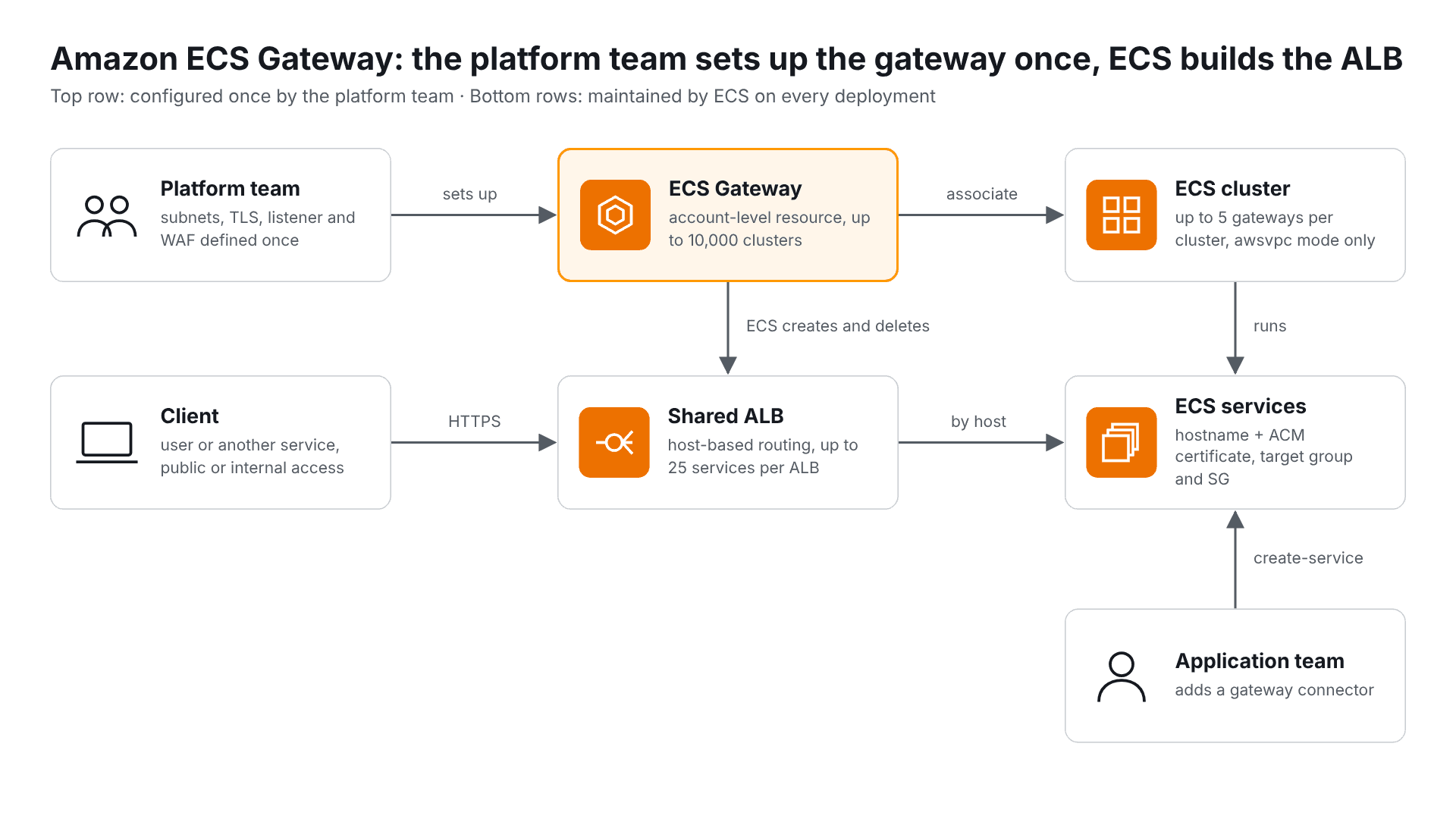
Think of it this way: the platform team builds the top row once, and ECS keeps the bottom row up to date on every deployment.
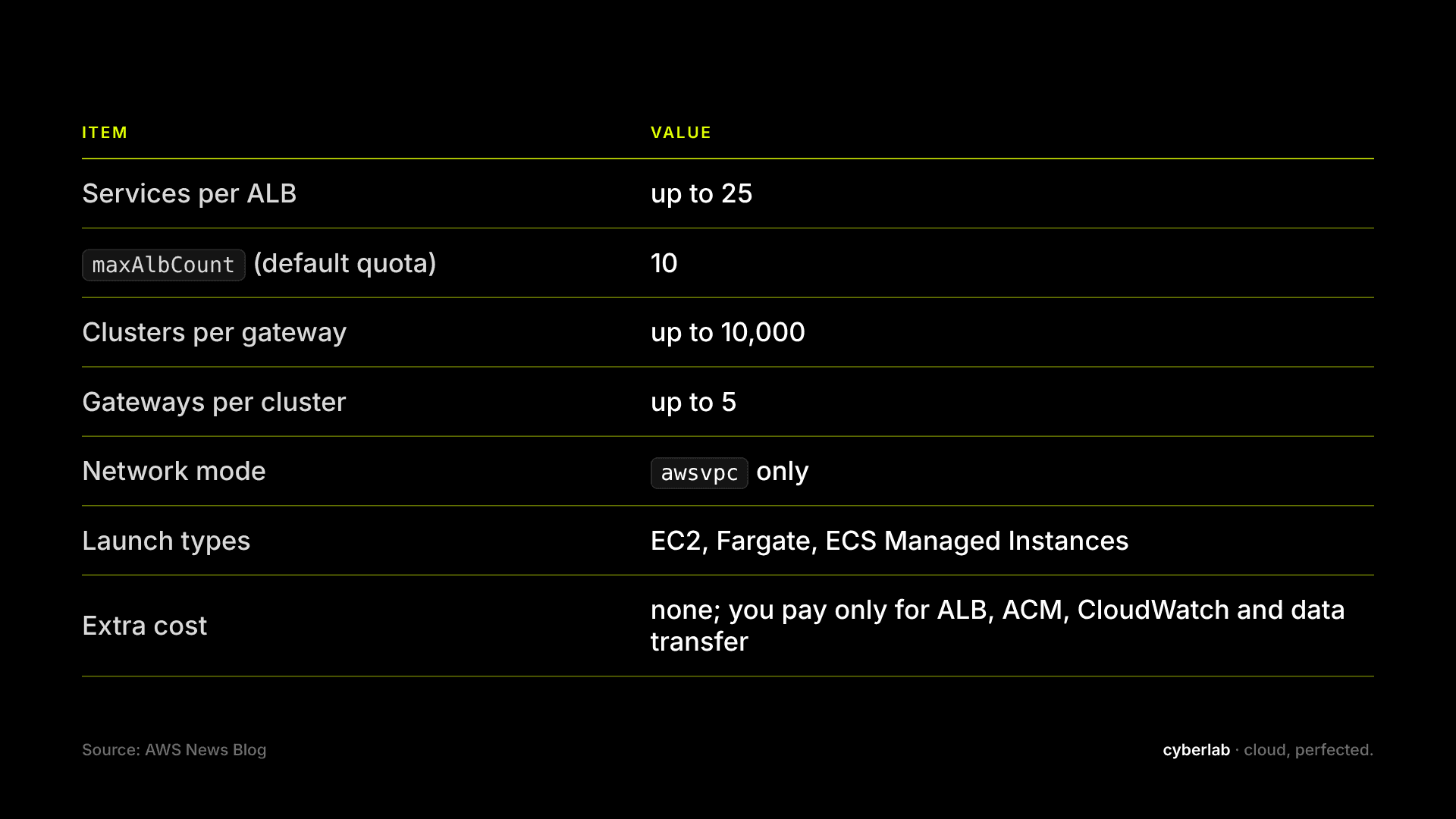
Source: AWS News Blog.
What you need before the labs
- An AWS account with permissions to use ECS, IAM, EC2 (VPC) and Elastic Load Balancing
- AWS CLI (version updated to one that contains the create-gateway command)
- A VPC with at least two public subnets in different AZs (example uses us-east-1)
- An ECS cluster, for example "my-cluster" (Fargate is the easiest to use for the lab)
- A task definition with awsvpc network mode and a named port (for example "api")
export AWS_REGION=eu-central-1 export ACCOUNT_ID=$(aws sts get-caller-identity --query Account --output text) export CLUSTER=my-cluster export GATEWAY=my-team-gateway
Step-by-step lab
Lab 1: Infrastructure IAM role
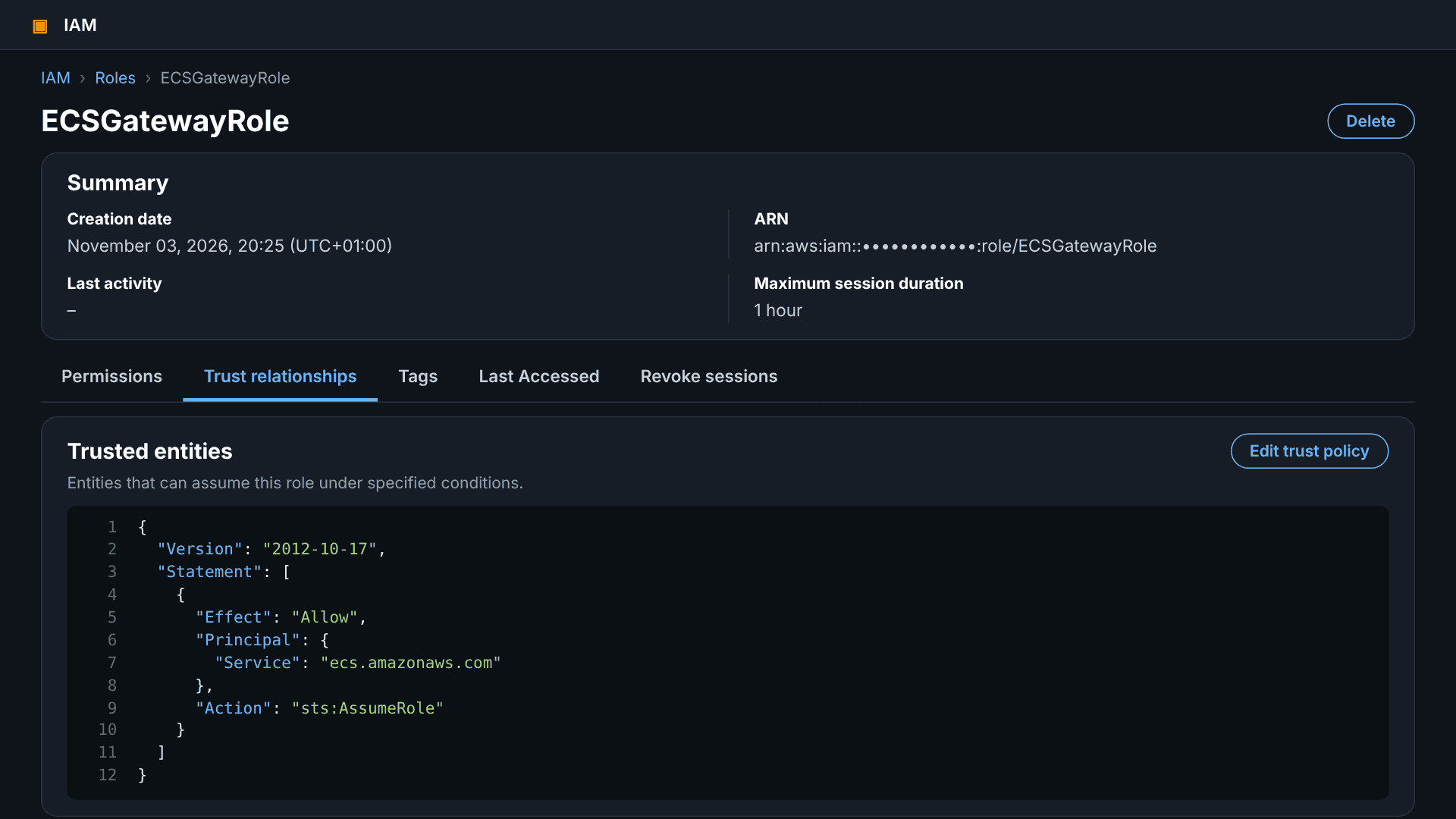
ECS is assuming this role to create ALBs, security groups and certificates in my account. Create a role trusted by the ECS service and add permissions as specified in the ECS Gateway documentation.
cat > trust.json <<'EOF' { "Version": "2012-10-17", "Statement": [{ "Effect": "Allow", "Principal": { "Service": "ecs.amazonaws.com" }, "Action": "sts:AssumeRole" }] } EOF aws iam create-role \ --role-name ECSGatewayRole \ --assume-role-policy-document file://trust.json
Note: verify the exact principal and managed policy for the gateway in the documentation before going to production.
Lab 2: Creating the gateway in the console
- In the ECS console open Gateways and choose Create gateway.
- Enter the name my-team-gateway (must be unique in the account) and select ECSGatewayRole as the infrastructure role.
- Choose the scheme: internet-facing for public traffic or internal for traffic inside the VPC.
- Select the VPC and subnets in every AZ the services will use.
- Under Additional settings configure the listener, port, maximum number of ALBs
- Associate a cluster right away or later; in this lab we do it in Lab 4.
Caution: the name, scheme, VPC, subnets, IP address type, listener protocol and port cannot be changed after creation.
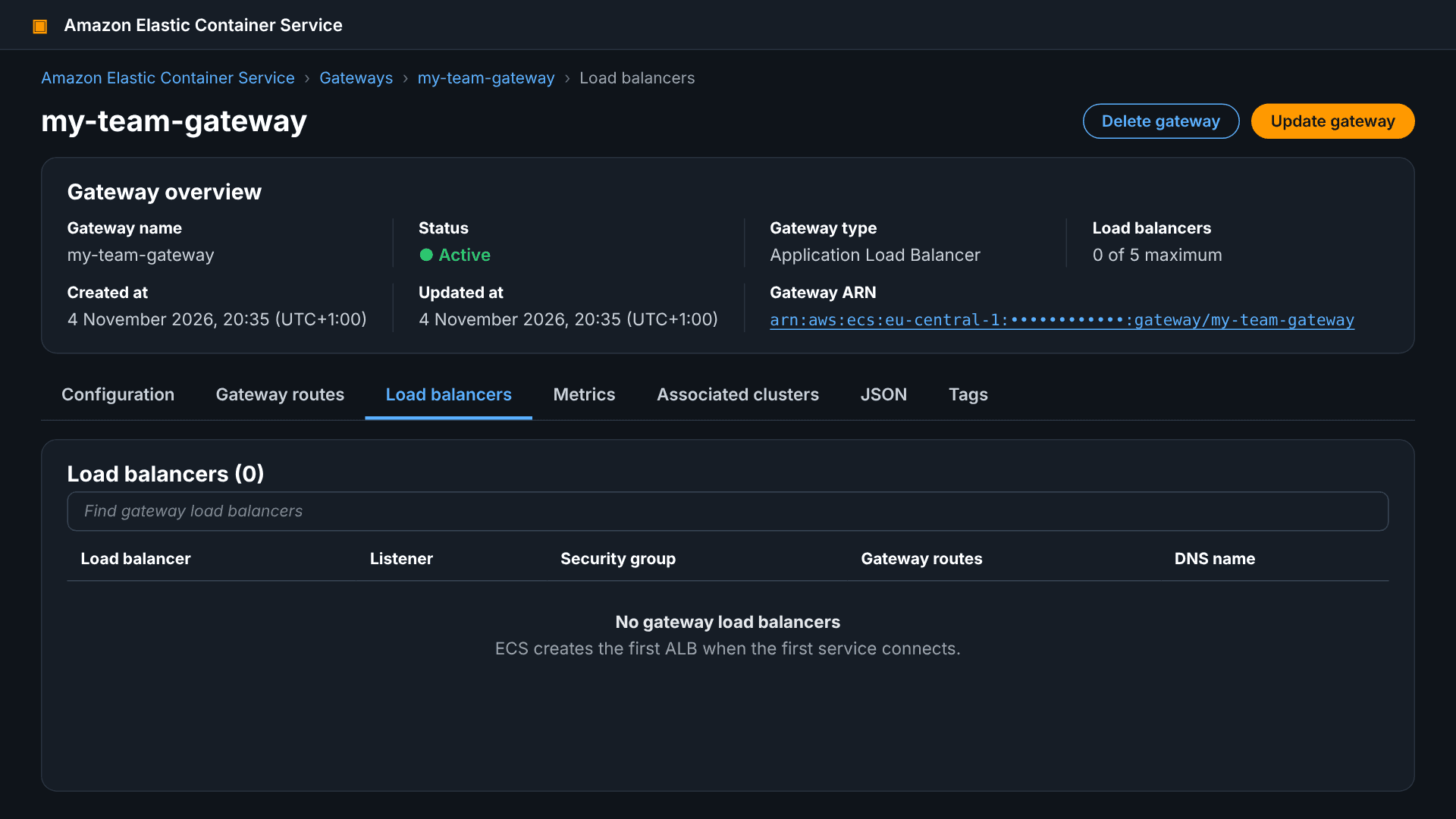
Lab 3: Reviewing the gateway
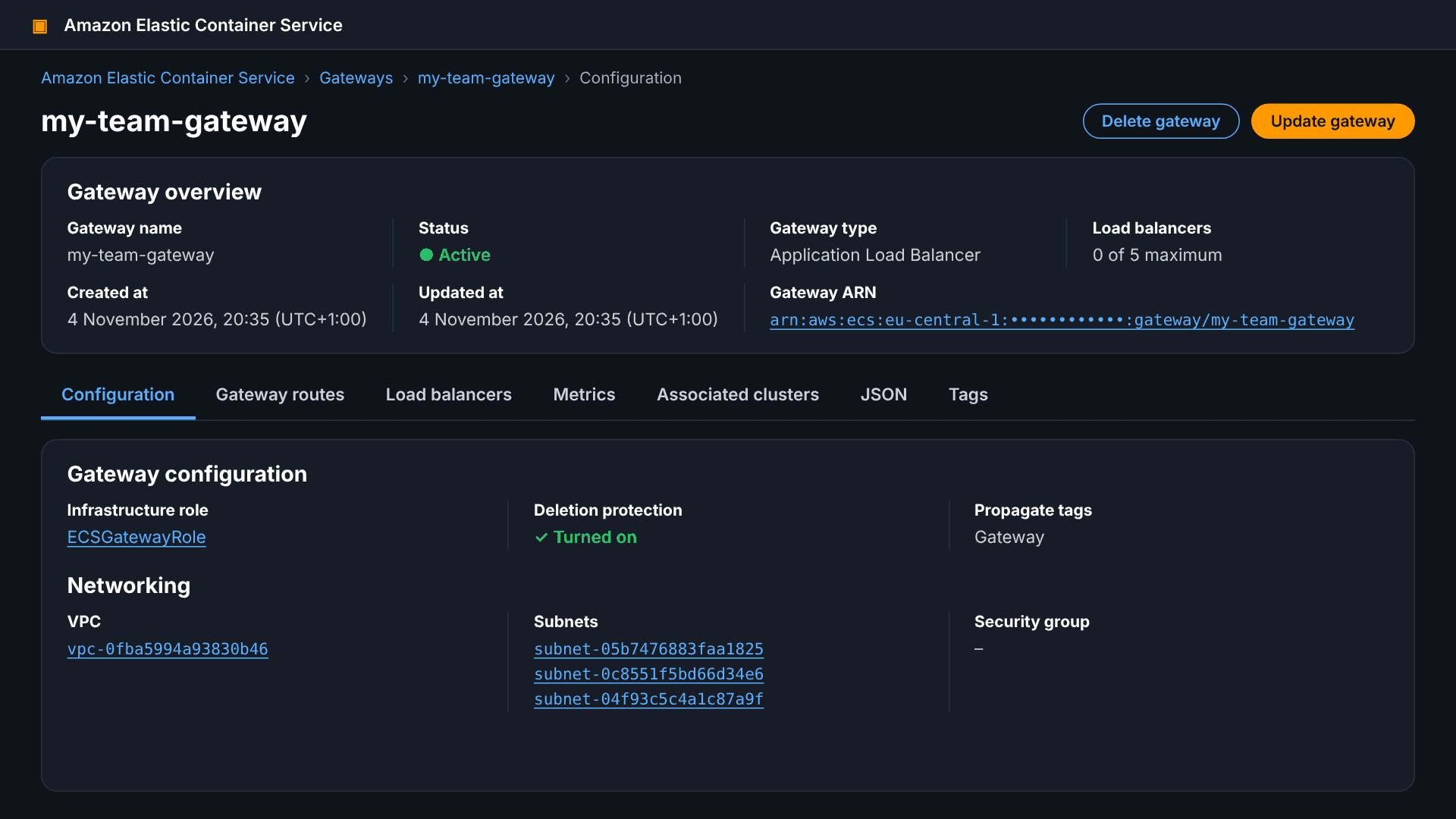
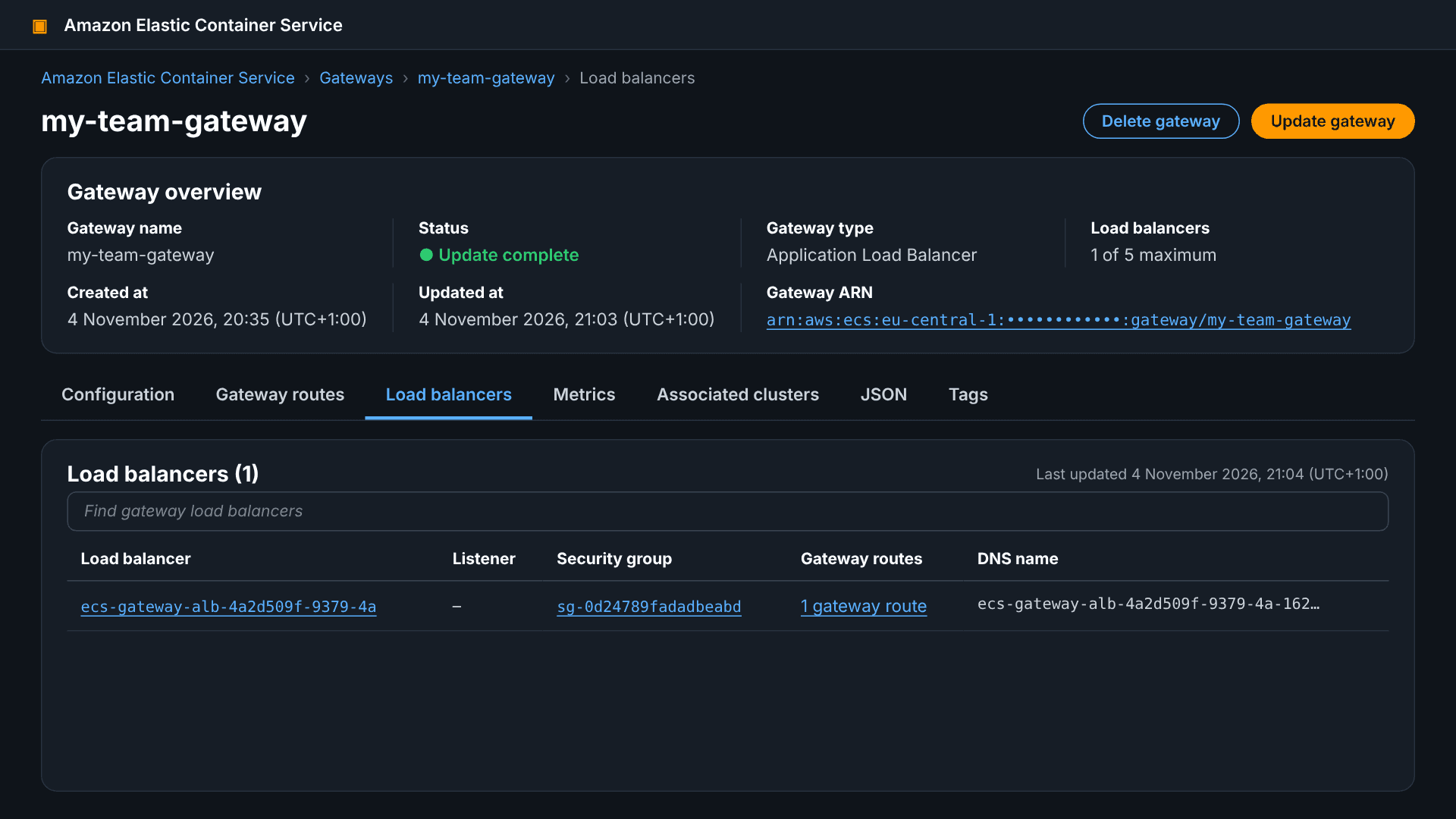
Load balancers are empty as we would expect.
Lab 4: Associating with a cluster
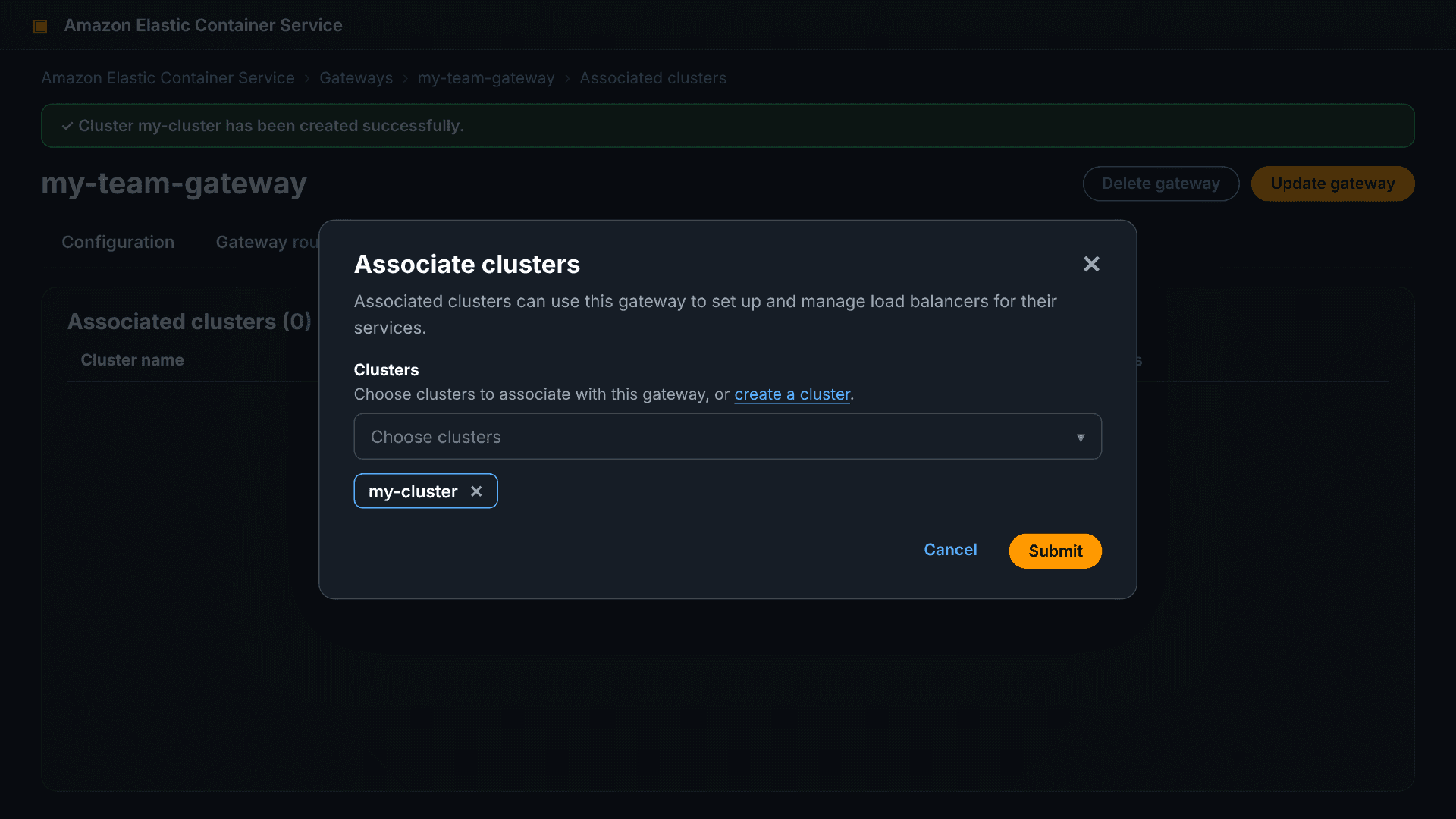
Associate gateway to the cluster so services on that cluster can use it. It's a many-to-many relation so one cluster can have for example a public and a private gateway.
aws ecs associate-gateway-with-cluster \ --gateway $GATEWAY \ --cluster arn:aws:ecs:$AWS_REGION:$ACCOUNT_ID:cluster/$CLUSTER
Lab 5: Task definition with a named port
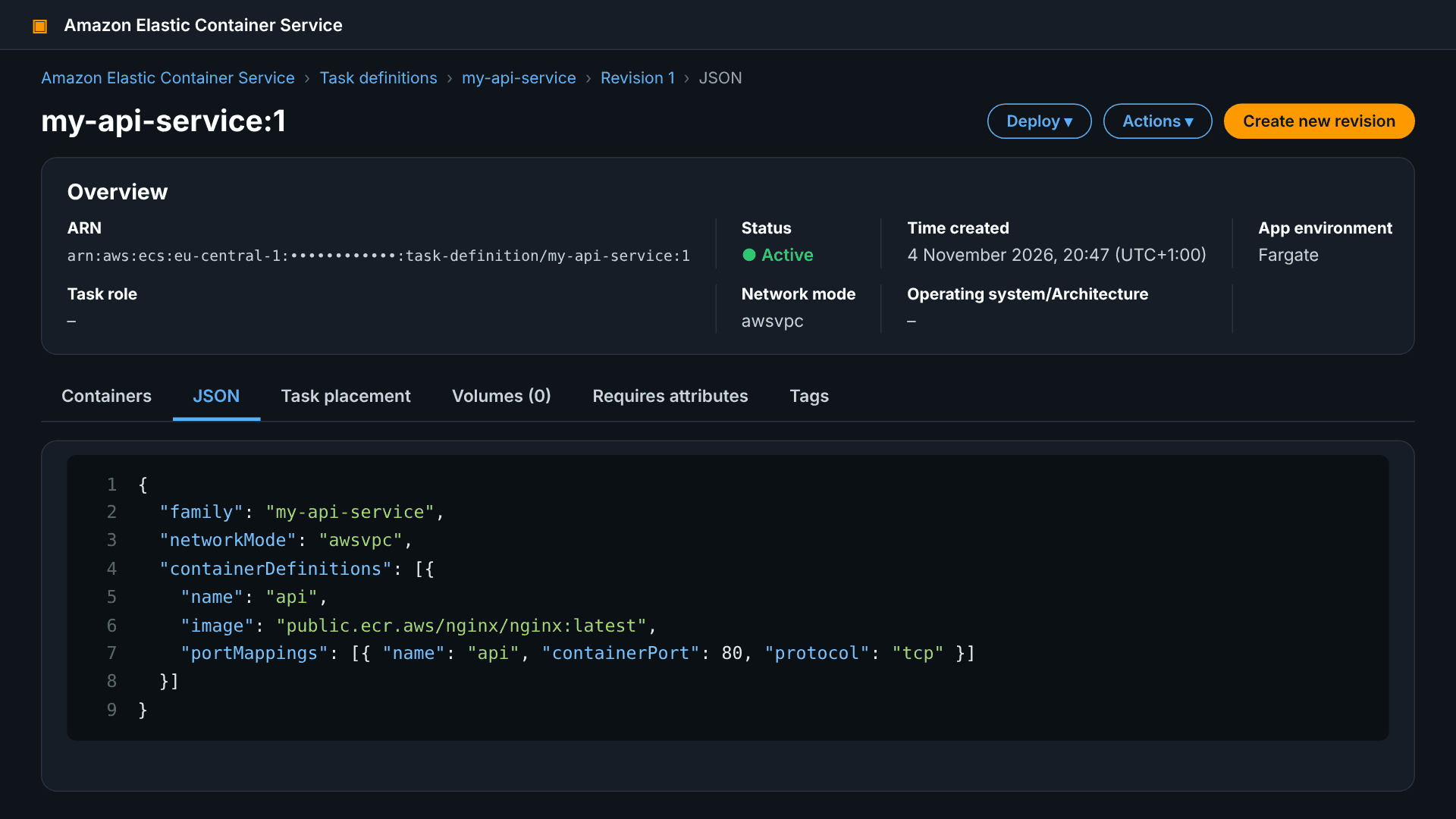
The connector references the port by name, so you must name your port mapping.
{ "family": "my-api-service", "networkMode": "awsvpc", "requiresCompatibilities": ["FARGATE"], "cpu": "256", "memory": "512", "containerDefinitions": [{ "name": "api", "image": "public.ecr.aws/nginx/nginx:latest", "portMappings": [{ "name": "api", "containerPort": 80, "protocol": "tcp" }] }] }
aws ecs register-task-definition --cli-input-json file://taskdef.json
Lab 6: Service with a gateway connector
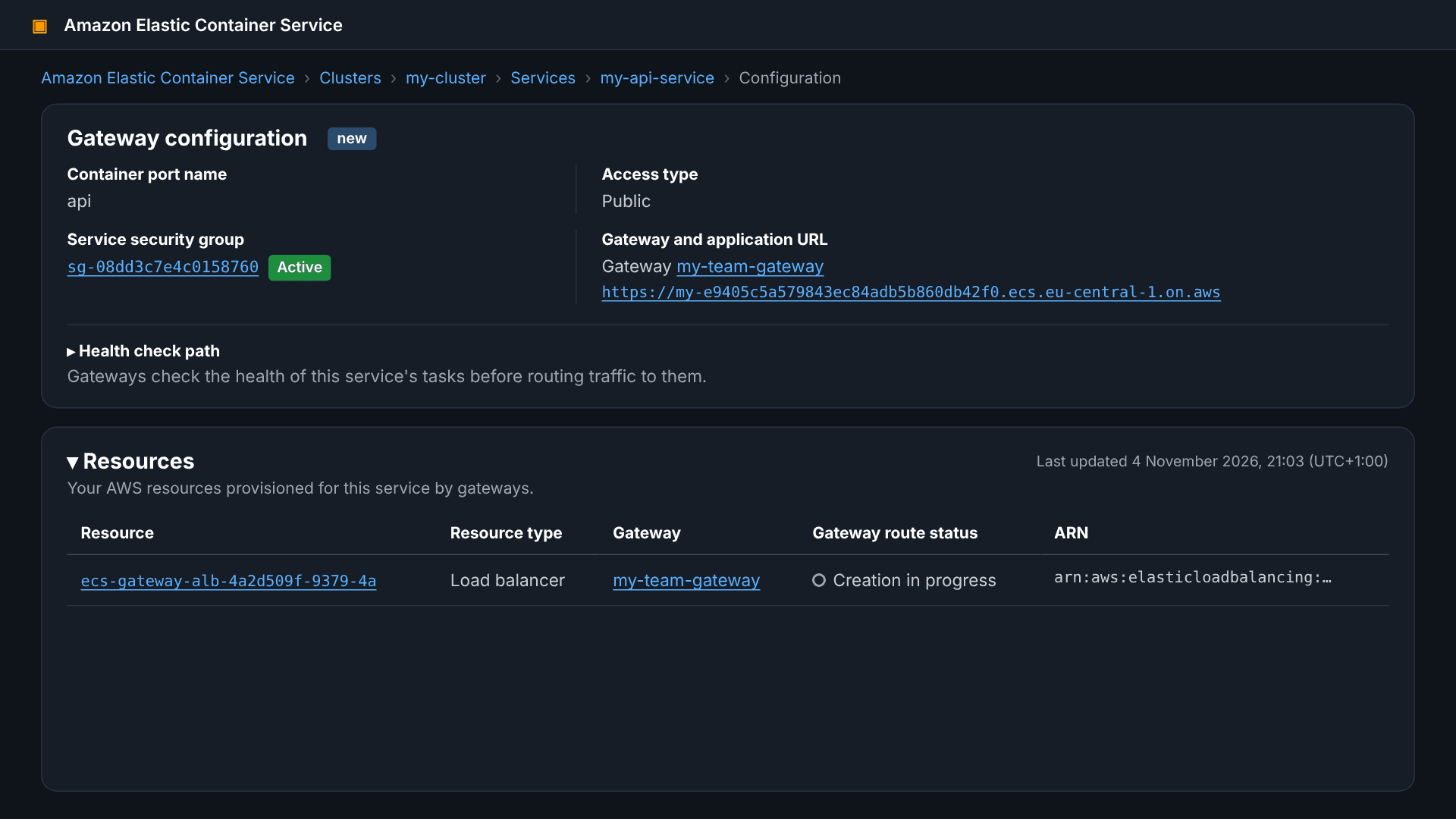
This is the only step the application team does. Add --gateway-connectors with the port name and the PUBLIC filter.
aws ecs create-service \ --cluster $CLUSTER \ --service-name my-api-service \ --task-definition my-api-service:1 \ --desired-count 2 \ --launch-type FARGATE \ --network-configuration 'awsvpcConfiguration={subnets=[subnet-AAAA,subnet-BBBB],securityGroups=[sg-XXXX],assignPublicIp=ENABLED}' \ --gateway-connectors '[{"portName": "api", "filters": {"accessTypes": ["PUBLIC"]}}]'
The connector may also contain a healthCheck object (take its fields from the documentation). The service subnets must be in availability zones covered by the gateway.
Testing and verification
The service is ready when the gateway route moves to ACTIVE. Then copy the service's DNS hostname from the console and test it over HTTPS.
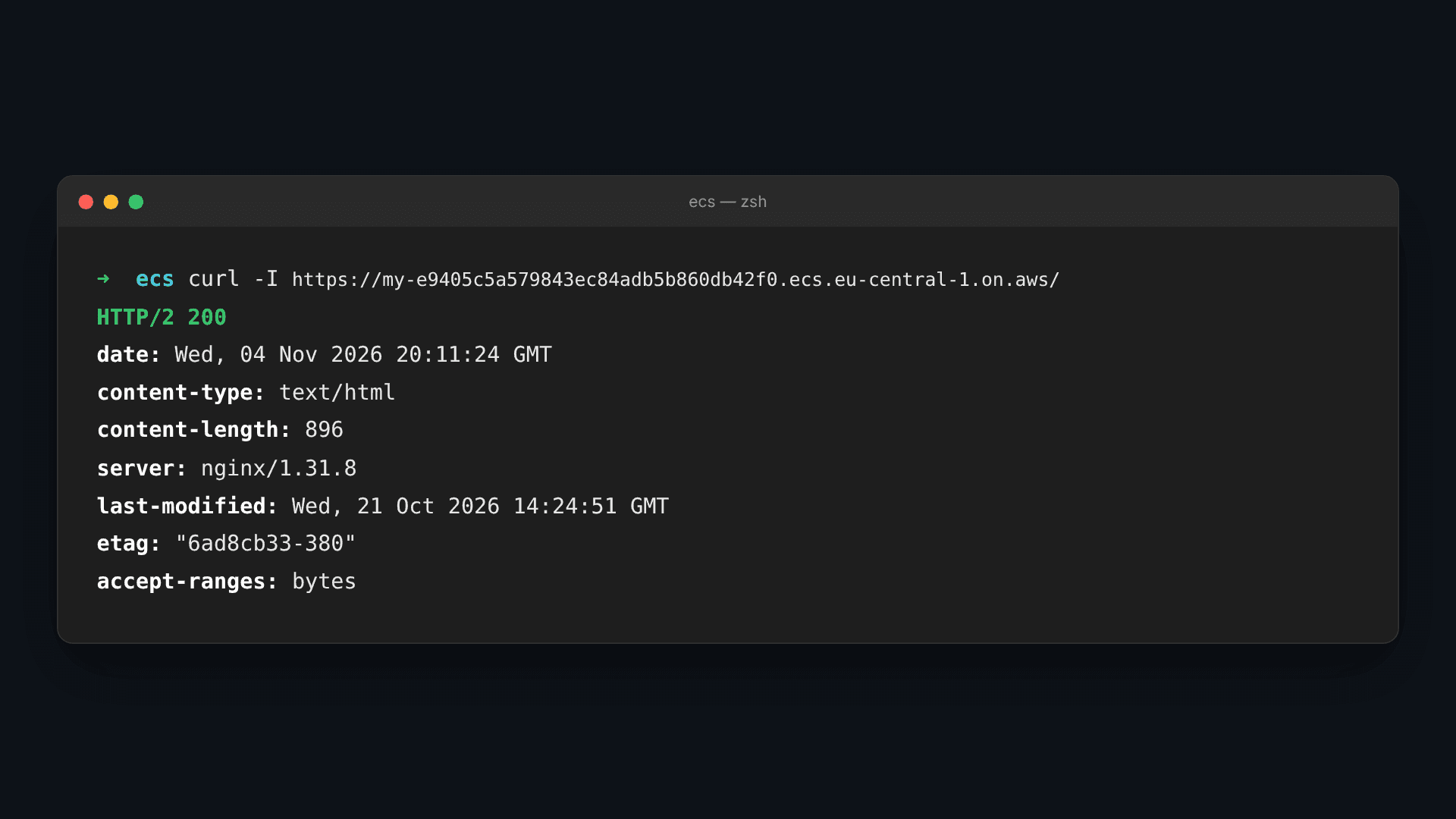
curl -I https://<service-hostname>
You should expect HTTP/2 200 and an nginx header, with a valid ACM certificate that ECS issued on its own.
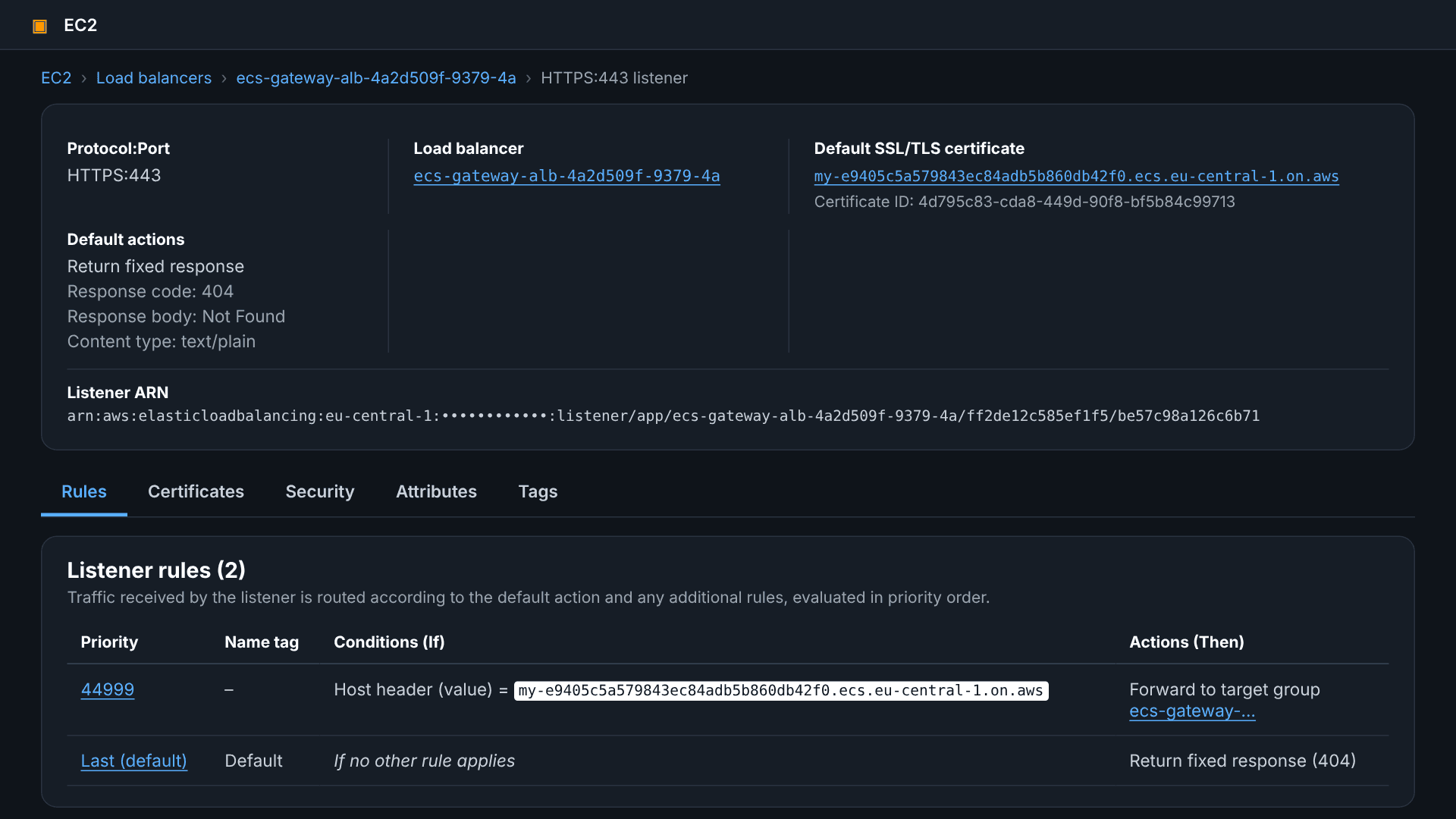
aws elbv2 describe-target-health --target-group-arn <target-group-arn>
Pricing, pitfalls and cleanup
The gateway itself is free; you pay only for what ECS creates in my account: ALBs, ACM certificates, CloudWatch logs and metrics, and data transfer (ECS pricing).
What I watched out for in the lab:
- Availability Zones: The availability zones of the services need to be the same. The availability zones of the services need to be a subset of those of the gateway. This is because the ALB only routes traffic to availability zones where it has a subnet. Easiest to just create both gateway and services in the same availability zones.
- Capacity: If the maxAlbCount is maxed out and there is no ALB with capacity, the deployment will fail. 25 services per ALB and 10 ALBs by default means 250 services per gateway.
- Immutable configuration: I spend a lot of thought on the name, scheme, VPC, subnets and listener because I can't change these values later on.
- Redeploying clears connections: Every time I deploy changes, ECS will revalidate the gateways on the cluster. It will associate the service with new gateways and remove routes from gateways that were disassociated.
Cleanup after the labs:
aws ecs delete-service --cluster $CLUSTER --service my-api-service --force
ECS will automatically remove all gateway routes and per-service resources when the service is deleted, and the ALB will be removed if that was the last route for that ALB. Once that is complete, I disassociate and delete the gateway from the console and the ECSGatewayRole IAM role.
Conclusion
The main difference after the labs is the platform team defines the networking and security once, while the applications team gets an HTTPS endpoint with just one parameter (in create-service
If you’re working with ECS more broadly, take a look at our post on ECS Managed Daemons, another recent addition that closes a long-standing gap in ECS. For more hands-on guides from the CYBERLAB team, you can browse the rest of our blog.